
1155 字
6 分钟
Mihomo 搭建
1. 准备工作
1.1 创建目录
.├── config├── data│ ├── config.yaml│ ├── country.mmdb│ ├── geoip.dat│ ├── geosite.dat└── docker-compose.yml1.2 下载配置文件
# 新建文件夹 mihomo 和 子目录mkdir -p /volume1/docker/mihomo/{config,data}
# 进入 data 目录cd /volume1/docker/mihomo/data
# 最新的 Geo 数据文件wget -O geoip.dat https://github.com/MetaCubeX/meta-rules-dat/releases/download/latest/geoip.datwget -O geosite.dat https://github.com/MetaCubeX/meta-rules-dat/releases/download/latest/geosite.datwget -O country.mmdb https://github.com/MetaCubeX/meta-rules-dat/releases/download/latest/country-lite.mmdbwget -O GeoLite2-ASN.mmdb https://github.com/MetaCubeX/meta-rules-dat/releases/download/latest/GeoLite2-ASN.mmdb
# 如果下载不动,可以加个代理wget -O geoip.dat https://gh-proxy.com/https://github.com/MetaCubeX/meta-rules-dat/releases/download/latest/geoip.datwget -O geosite.dat https://gh-proxy.com/https://github.com/MetaCubeX/meta-rules-dat/releases/download/latest/geosite.datwget -O country.mmdb https://gh-proxy.com/https://github.com/MetaCubeX/meta-rules-dat/releases/download/latest/country-lite.mmdbwget -O GeoLite2-ASN.mmdb https://gh-proxy.com/https://github.com/MetaCubeX/meta-rules-dat/releases/download/latest/GeoLite2-ASN.mmdb2. 创建配置文件
2.1 config.yaml
位于 data/config.yaml
mixed-port: 27890 # 代理端口allow-lan: truebind-address: "*"mode: rulelog-level: infoexternal-controller: 0.0.0.0:19090 # 前端连接对应的端口secret: '填写你的密钥用于 web 连接 core '
tun: enable: true stack: mixed auto-route: true auto-detect-interface: true dns-hijack: - any:53 - tcp://any:53 route-exclude-address: - 127.0.0.0/8 - 10.0.0.0/8 - 172.16.0.0/12 - 192.168.0.0/16 - fc00::/7
proxy-providers: shanhai: url: "替换为你的机场订阅链接" type: http interval: 86400 health-check: {enable: true,url: "https://www.gstatic.com/generate_204", interval: 300} override: additional-prefix: "shanhai"
proxies: - name: "直连" type: direct udp: true
geodata-mode: true
geox-url: geoip: "https://github.com/MetaCubeX/meta-rules-dat/releases/download/latest/geoip.dat" geosite: "https://github.com/MetaCubeX/meta-rules-dat/releases/download/latest/geosite.dat" mmdb: "https://github.com/MetaCubeX/meta-rules-dat/releases/download/latest/country-lite.mmdb" asn: "https://github.com/MetaCubeX/meta-rules-dat/releases/download/latest/GeoLite2-ASN.mmdb"
dns: enable: true ipv6: true respect-rules: true enhanced-mode: fake-ip fake-ip-filter: - "*" - "+.lan" - "+.local" - "+.market.xiaomi.com" nameserver: - https://120.53.53.53/dns-query - https://223.5.5.5/dns-query proxy-server-nameserver: - https://120.53.53.53/dns-query - https://223.5.5.5/dns-query nameserver-policy: "geosite:cn,private": - https://120.53.53.53/dns-query - https://223.5.5.5/dns-query "geosite:geolocation-!cn": - "https://dns.cloudflare.com/dns-query" - "https://dns.google/dns-query"
proxy-groups:
- name: 默认 type: select proxies: [自动选择,直连,香港,台湾,日本,新加坡,美国,其它地区,全部节点]
- name: Google type: select proxies: [默认,香港,台湾,日本,新加坡,美国,其它地区,全部节点,自动选择,直连]
- name: Telegram type: select proxies: [默认,香港,台湾,日本,新加坡,美国,其它地区,全部节点,自动选择,直连]
- name: Twitter type: select proxies: [默认,香港,台湾,日本,新加坡,美国,其它地区,全部节点,自动选择,直连]
- name: 哔哩哔哩 type: select proxies: [默认,香港,台湾,日本,新加坡,美国,其它地区,全部节点,自动选择,直连]
- name: 巴哈姆特 type: select proxies: [默认,香港,台湾,日本,新加坡,美国,其它地区,全部节点,自动选择,直连]
- name: YouTube type: select proxies: [默认,香港,台湾,日本,新加坡,美国,其它地区,全部节点,自动选择,直连]
- name: 海外AI type: select proxies: [默认,香港,台湾,日本,新加坡,美国,其它地区,全部节点,自动选择,直连]
- name: NETFLIX type: select proxies: [默认,香港,台湾,日本,新加坡,美国,其它地区,全部节点,自动选择,直连]
- name: Spotify type: select proxies: [默认,香港,台湾,日本,新加坡,美国,其它地区,全部节点,自动选择,直连]
- name: Github type: select proxies: [默认,香港,台湾,日本,新加坡,美国,其它地区,全部节点,自动选择,直连]
- name: 国内 type: select proxies: [直连,默认,香港,台湾,日本,新加坡,美国,其它地区,全部节点,自动选择]
- name: 其他 type: select proxies: [默认,香港,台湾,日本,新加坡,美国,其它地区,全部节点,自动选择,直连]
#分隔,下面是地区分组 - name: 香港 type: select include-all: true filter: "(?i)港|hk|hongkong|hong kong"
- name: 台湾 type: select include-all: true filter: "(?i)台|tw|taiwan"
- name: 日本 type: select include-all: true filter: "(?i)日|jp|japan"
- name: 美国 type: select include-all: true filter: "(?i)美|us|unitedstates|united states"
- name: 新加坡 type: select include-all: true filter: "(?i)(新|sg|singapore)"
- name: 其它地区 type: select include-all: true filter: "(?i)^(?!.*(?:🇭🇰|🇯🇵|🇺🇸|🇸🇬|🇨🇳|港|hk|hongkong|台|tw|taiwan|日|jp|japan|新|sg|singapore|美|us|unitedstates)).*"
- name: 全部节点 type: select include-all: true
- name: 自动选择 type: url-test include-all: true tolerance: 10
rules: - GEOIP,lan,直连,no-resolve - GEOSITE,twitter,Twitter - GEOSITE,youtube,YouTube - GEOSITE,category-ai-!cn,海外AI - GEOSITE,github,Github - GEOSITE,google,Google - GEOSITE,telegram,Telegram - GEOSITE,netflix,NETFLIX - GEOSITE,bilibili,哔哩哔哩 - GEOSITE,bahamut,巴哈姆特 - GEOSITE,spotify,Spotify - GEOSITE,CN,国内 - GEOSITE,geolocation-!cn,其他
- GEOIP,CN,国内 - MATCH,其他2.2 docker-compose.yml
位于项目目录顶层
services: mihomo: container_name: mihomo-core # image: metacubex/mihomo:latest # 也可使用 :Alpha 或指定版本如 :v1.19.x # 国内加速源 image: docker.1ms.run/metacubex/mihomo:latest restart: unless-stopped network_mode: host pid: host ipc: host cap_add: - NET_ADMIN # 如果日志报权限不足,试试改为 - ALL security_opt: - apparmor=unconfined # 群晖系统可能需要 volumes: - ./data:/root/.config/mihomo # 映射配置目录 - /dev/net/tun:/dev/net/tun # TUN 模式必需 - /etc/localtime:/etc/localtime:ro # 同步主机时间 depends_on: - metacubexd
metacubexd: # 官方控制面板 (XD) container_name: mihomo-web # image: ghcr.io/metacubex/metacubexd:latest # 国内加速源 image: ghcr.1ms.run/metacubex/metacubexd:latest restart: unless-stopped network_mode: bridge # 注意:此处不要使用 host模式 ports: - "19091:80" # 可将 9091 改成你希望访问的端口 environment: - DEFAULT_BACKEND_URL=http://[本机局域网ip]:19090 volumes: - /etc/localtime:/etc/localtime:ro3. 启动与配置
3.1 启动
在 docker-compose.yml 所在目录下输入
docker compose up -d --build启动容器,并在浏览器输入 http://ip:19091 访问后台
3.2 配置
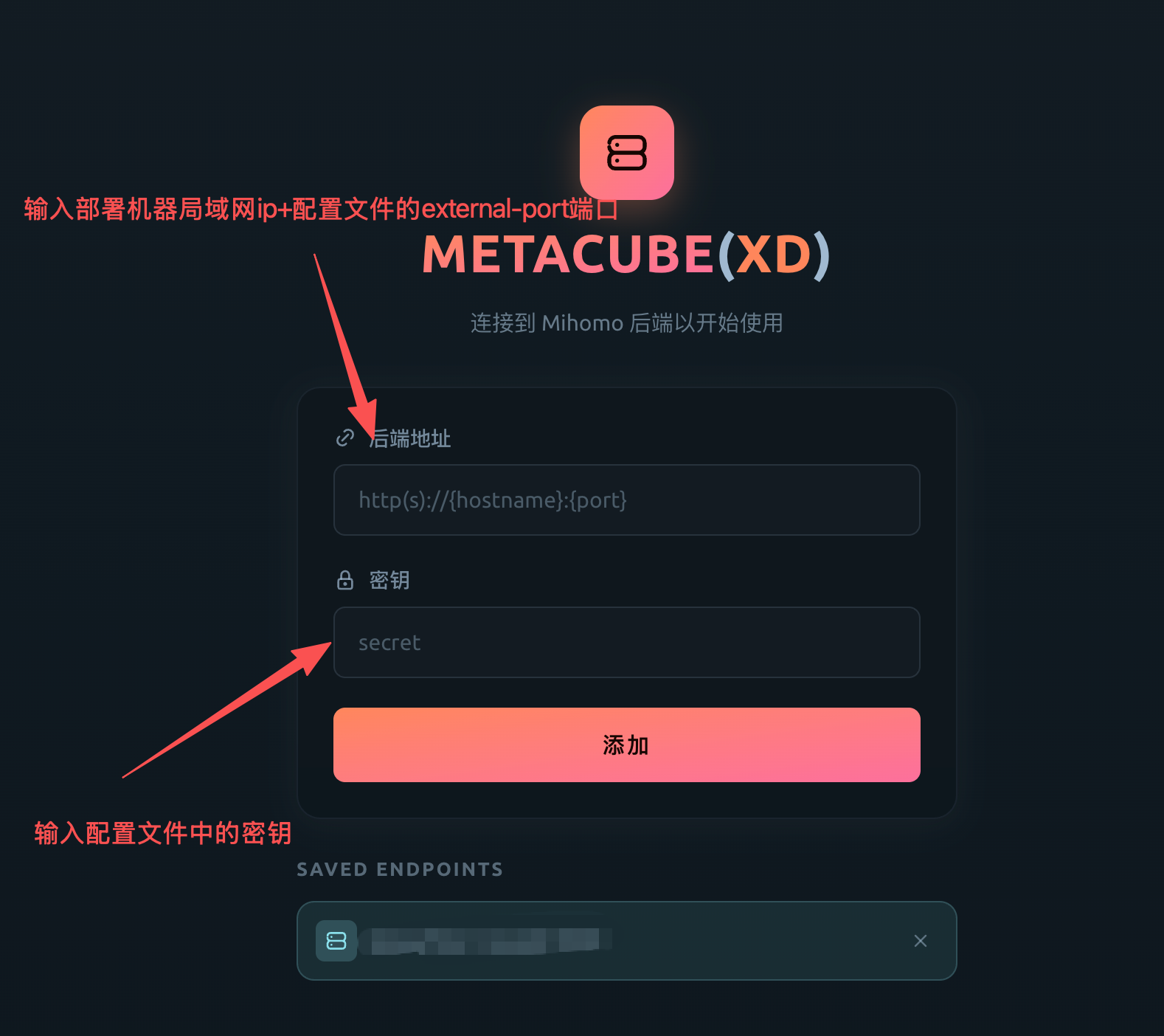
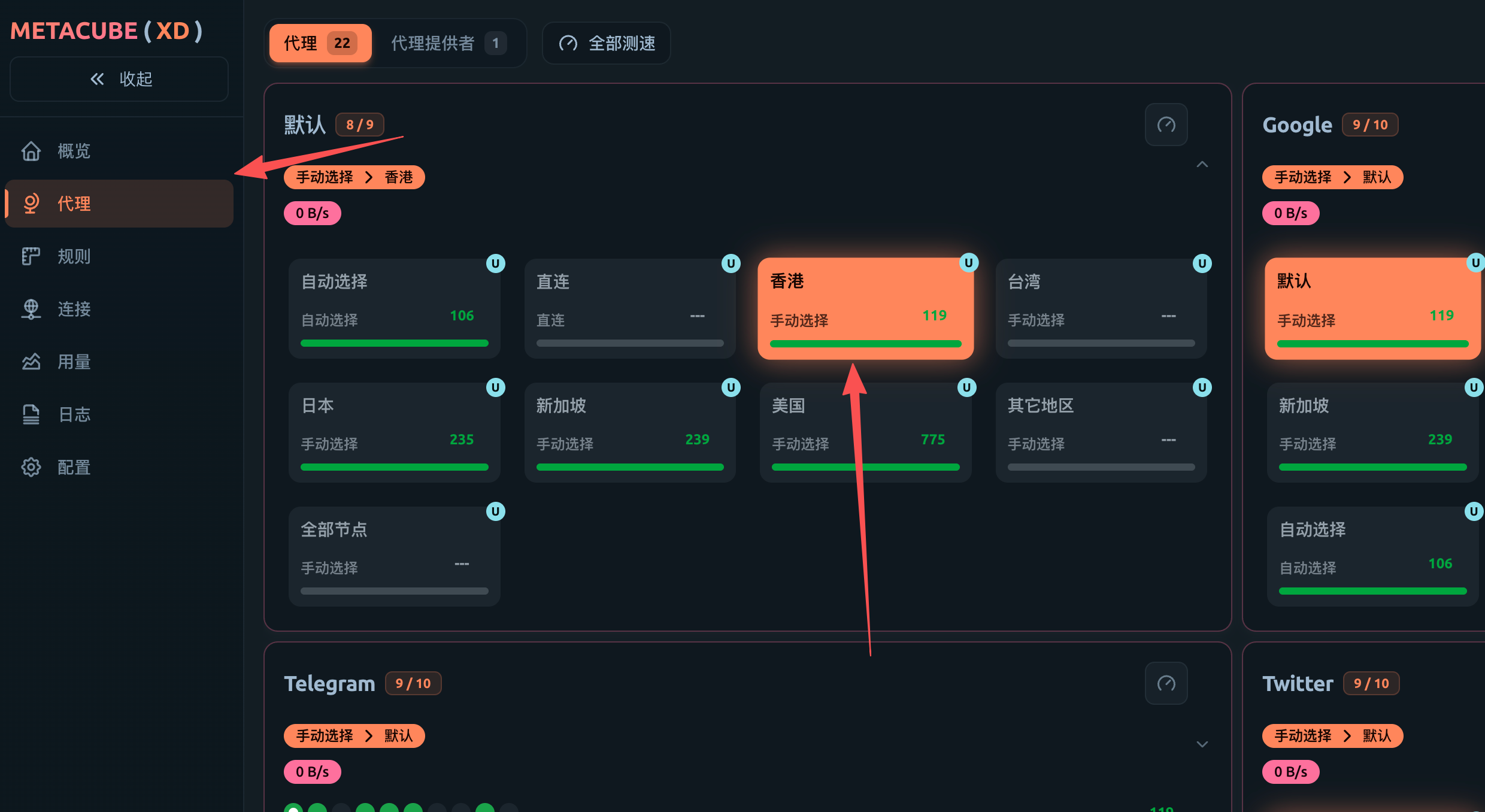
傻瓜式操作,后续自行配置
4. 使用
在局域网其他机器或者本机,在输入以下命令使用代理
# 本机测试代理是否有效curl -x http://127.0.0.1:27890 -I https://www.google.comcurl -x http://127.0.0.1:27890 -I https://www.youtube.com
# 使用export https_proxy=http://[ip]:[mix-port]export http_proxy=http://[ip]:[mix-port]